Built for field technicians
Installing cameras, setting up Wi-Fi or looking after small business networks? NetHound turns every visit into a record you can come back to.
A typical visit
- Step 1
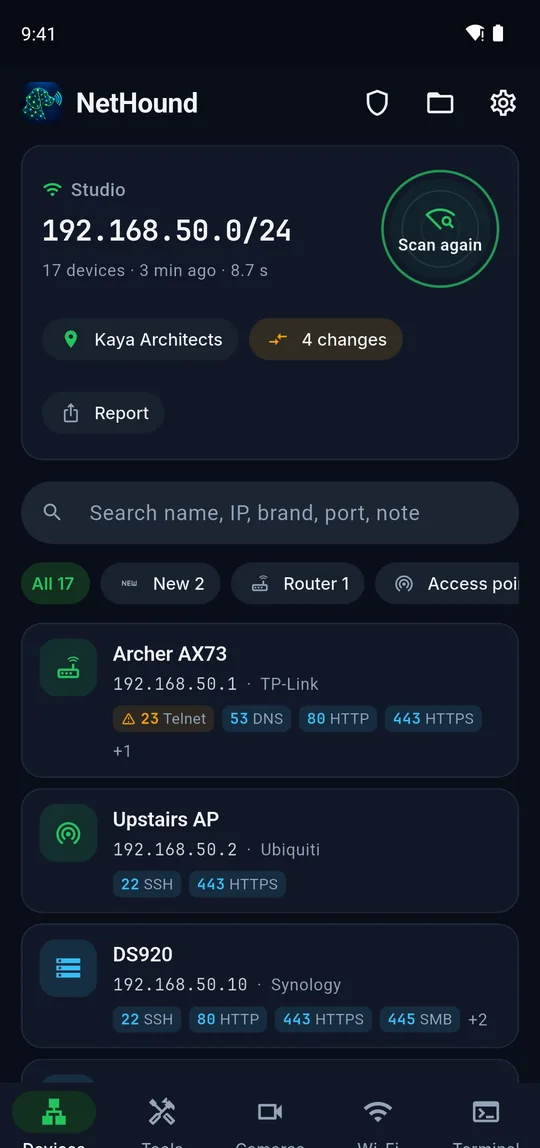
Scan and name the site
Scan the customer’s network and give it a name. Every later scan of the same network is filed under it.
- Step 2
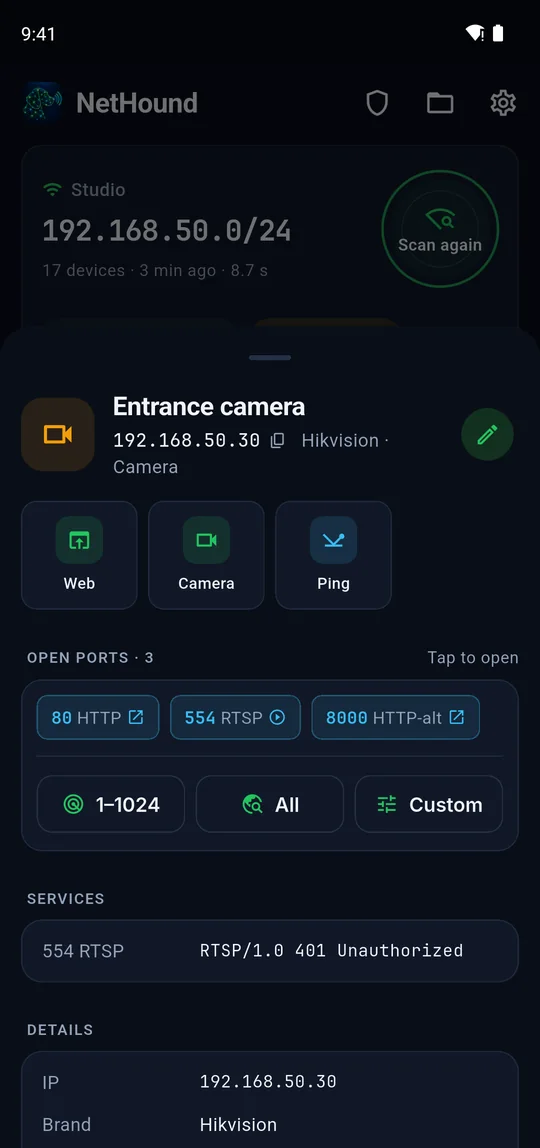
Name the devices
Call the cameras "Entrance" and "Parking", the PC "Accounting". Names belong to this site only.
- Step 3
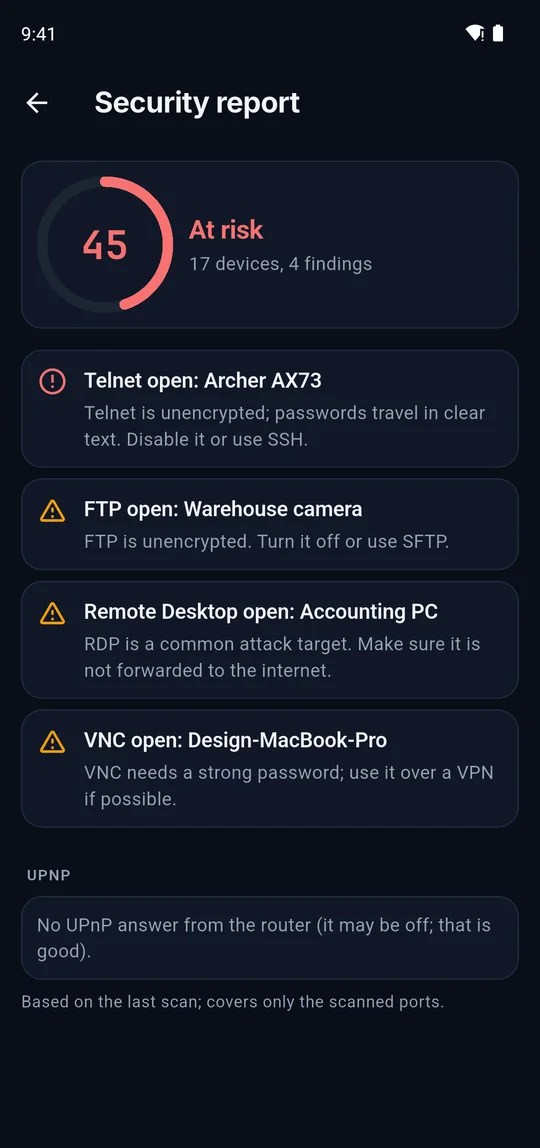
Check security
Fix open Telnet, cameras without a password and UPnP holes before you leave.
- Step 4
Leave a report
Share a PDF inventory, print QR labels for the devices and send a CSV if they want a spreadsheet.
- Step 5
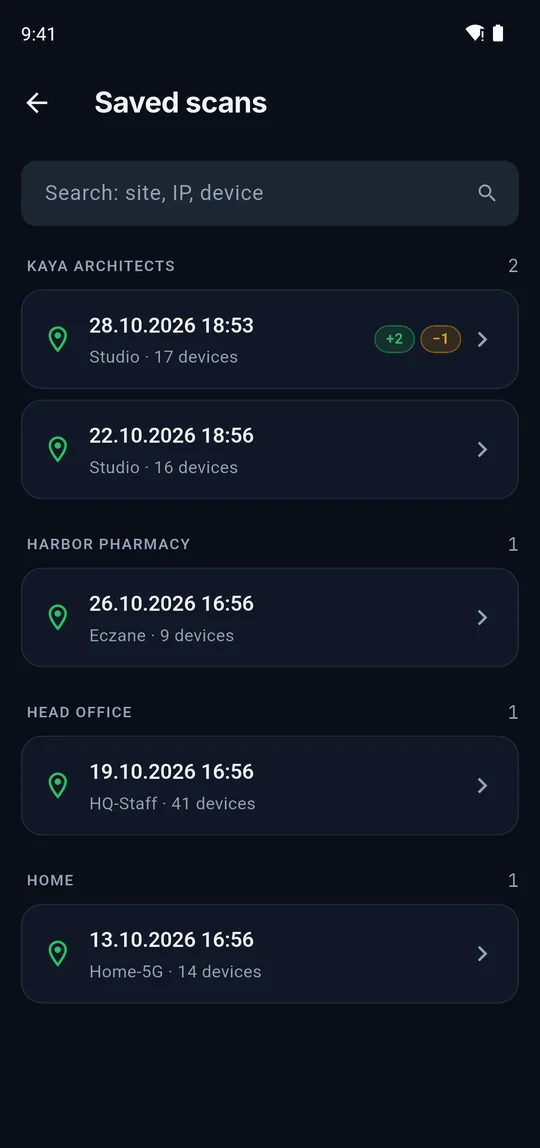
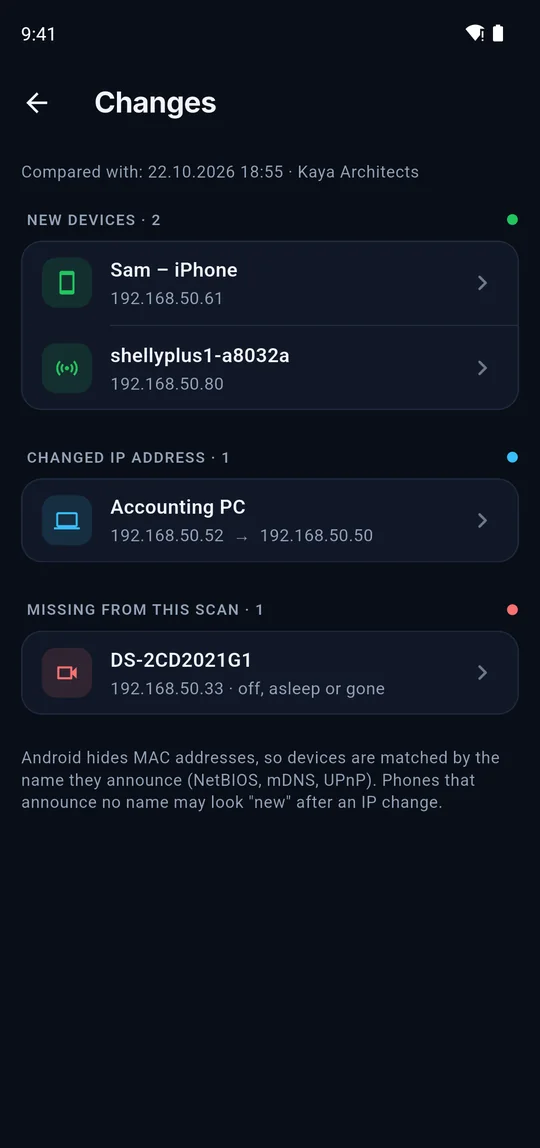
Next visit: what changed?
Scan again and see new, missing and moved devices at once.
Small things that save a lot of time
Camera logins
Save the logins you use; NetHound tries them on every camera and remembers which one worked.
Wi-Fi QR per site
Keep each customer’s guest network as a QR code and show it on the spot.
Live monitor
Watch a camera come back after a reboot or a switch port change.
DHCP check
See the lease, DHCP server and DNS the phone got, and hints of IP conflicts.
Terminal
Change a router or switch setting over SSH or Telnet without a laptop.
Encrypted backup
Move your site records and logins to a new phone in one file.

What is on your network?
Get NetHound and run your first scan in under ten seconds.