Really know your network.
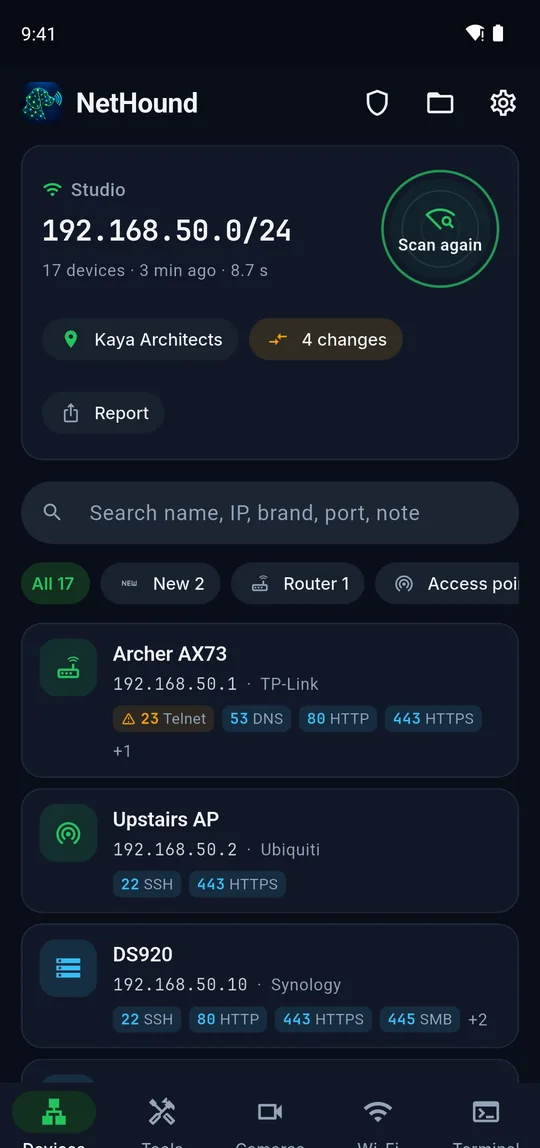
NetHound finds every device on your network with its name, brand and open ports in seconds. It flags risky services, shows what is wrong with your Wi-Fi and keeps an SSH terminal, IP cameras and field tools one tap away. No account, no server: everything stays on your phone.
- ~9 sto scan a typical home or office network
- 90+ports and services recognised
- 6name sources: mDNS, NetBIOS, SSDP, WS-Discovery…
- 0accounts, servers or trackers
A network engineer’s kit in one app
Eight areas, one goal: see what is on your network, what is wrong with it and fix it on the spot.
Device discovery
Names, brands, types and open ports for every device, found through six discovery protocols.
Learn moreSecurity report
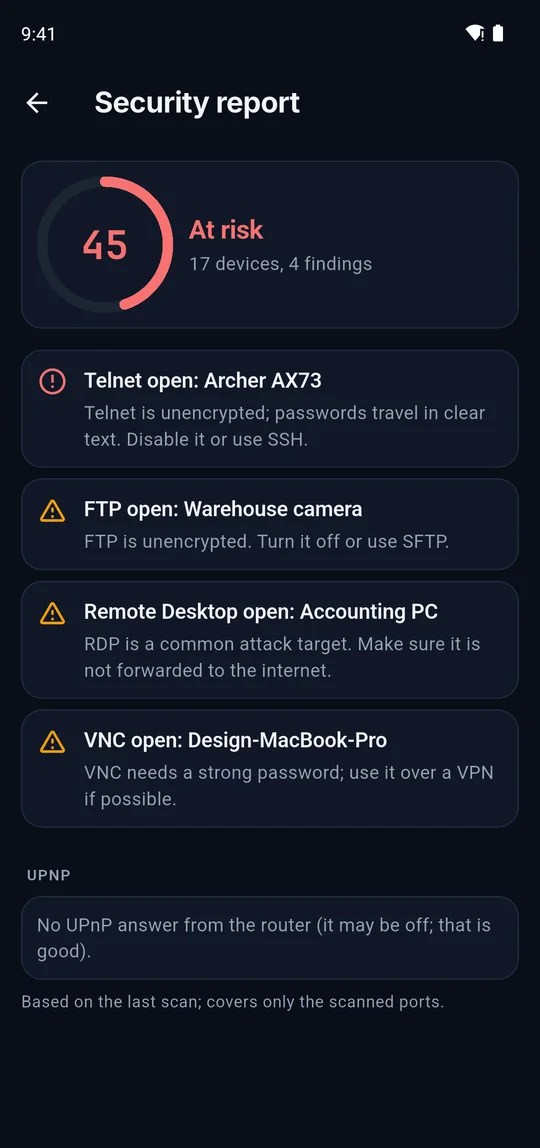
A score out of 100 with clear advice: Telnet, open cameras, UPnP holes, expired certificates.
Learn moreHistory and changes
Save scans per site and see what is new, missing or on a new IP since last time.
Learn moreWi-Fi analyzer
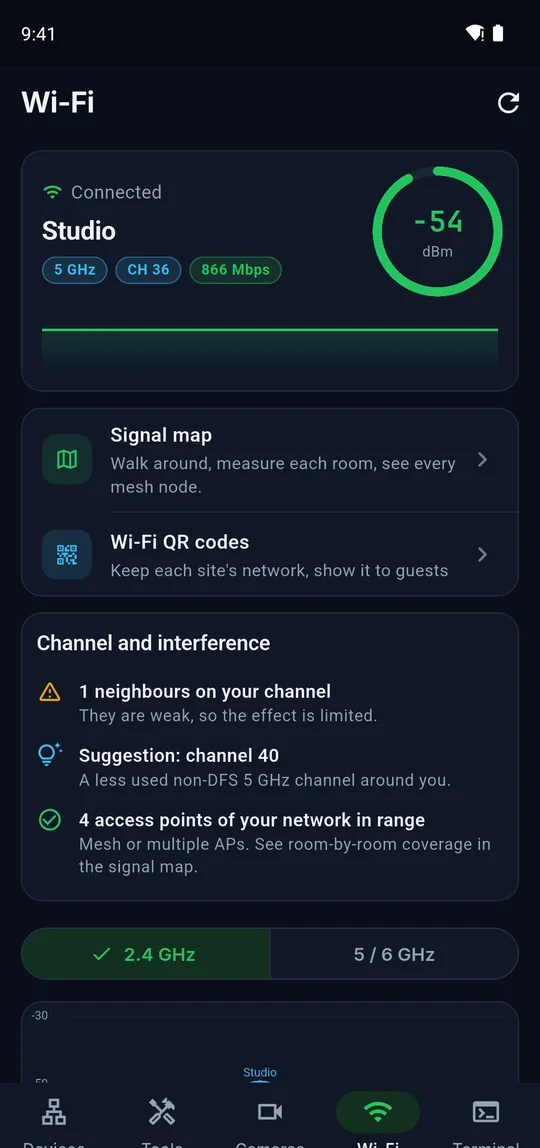
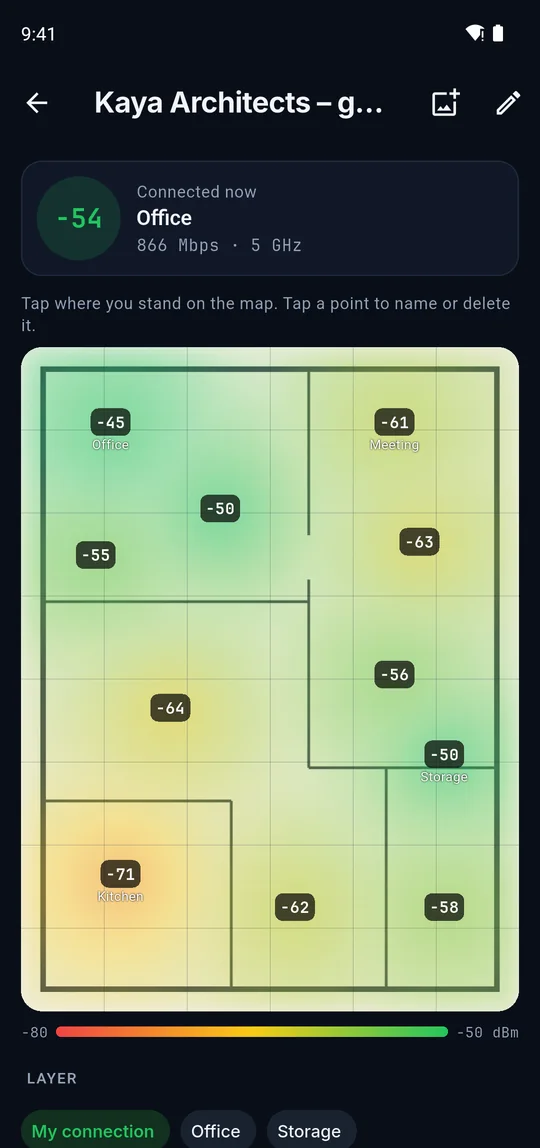
Channels, interference, mesh nodes and a channel tip, with a room-by-room signal map.
Learn moreSpeed and latency
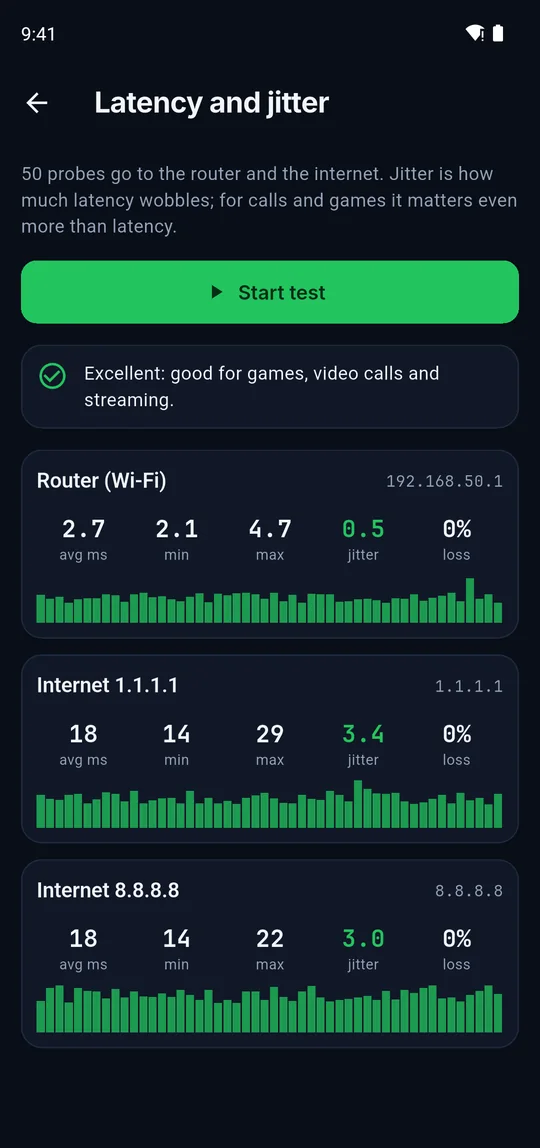
Find out whether trouble is in your Wi-Fi or on the line: latency, jitter, loss and speed.
Learn moreLive monitor
Watch cameras, access points and servers; see the moment one stops answering.
Learn moreSSH and Telnet
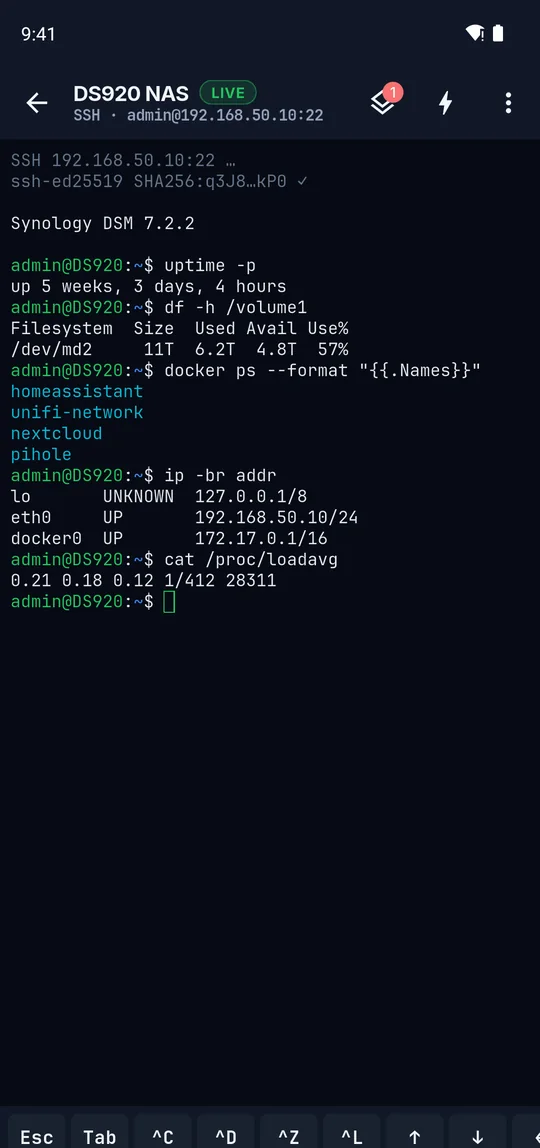
Several sessions at once, SFTP, Ed25519 keys and one-tap commands.
Learn moreIP cameras
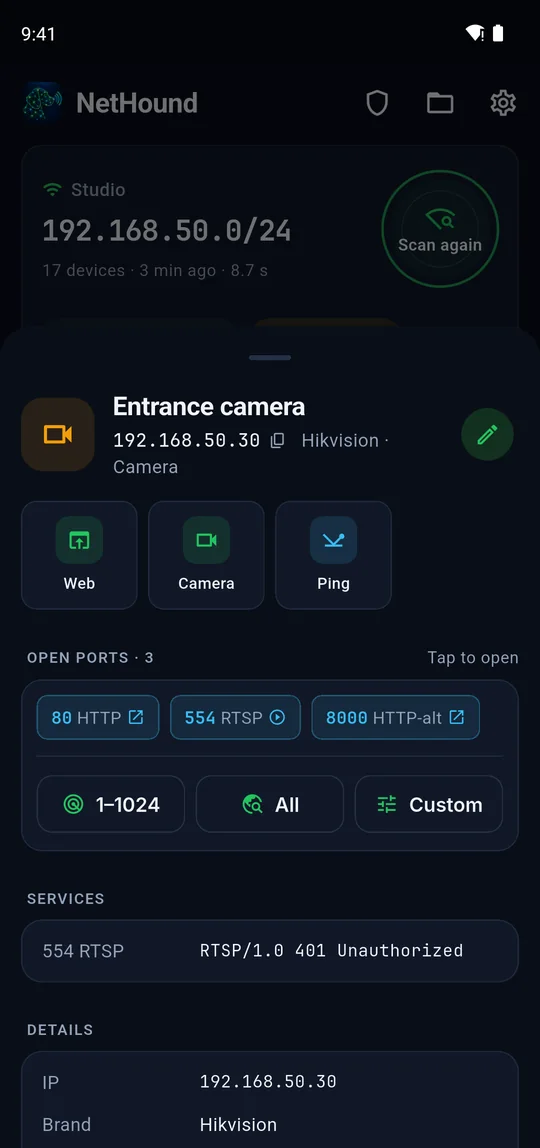
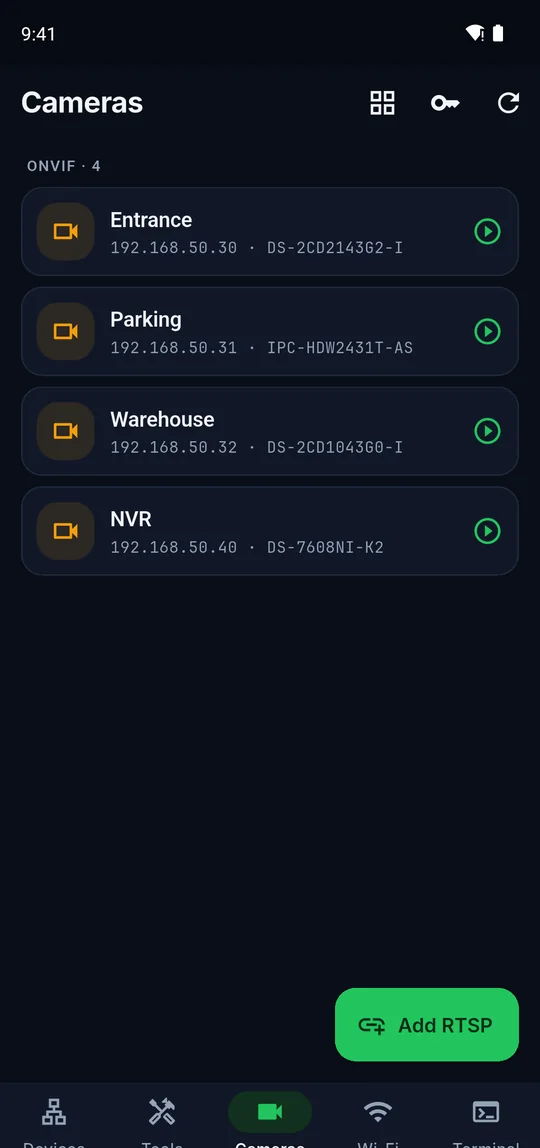
ONVIF discovery, RTSP by brand, saved logins, multi-view and camera settings.
Learn moreDesigned for real work, day and night
A calm dark interface with monospace addresses and colour only where it means something.
One app, three kinds of days
At home
Find out what is connected to your Wi-Fi, give devices proper names, check that no camera or router is open to anyone and pick a quieter Wi-Fi channel.
- Who is on my Wi-Fi?
- Is my router safe?
- Why is the Wi-Fi slow upstairs?
In the office
Keep an inventory of computers, printers, NAS boxes and access points; watch servers live and reach them over SSH without a laptop.
- Inventory with types and notes
- Live monitor for critical devices
- SSH, SFTP and snippets
In the field
Install and service customer networks: a named record for every site, a PDF report and QR labels, saved camera logins and a Wi-Fi QR for the guests.
- Site records and changes
- PDF report and QR labels
- Camera logins tried for you
Your network. Your data.
No account, no server
Scans, device names and notes are stored on your phone only. We run no servers and have no analytics.
Passwords in an encrypted vault
SSH, camera and Wi-Fi passwords live in Android’s encrypted storage and only leave it inside a backup file you encrypt.
One thing goes online
The internet speed test connects to M-Lab and asks first, explaining what is shared. Scan results are never sent.
Your own network only
NetHound is for networks you own or may test. There are no attack tools such as default-password guessing.
Questions and answers
Is NetHound free?
Yes. Every feature is in the free version. A one-time Pro purchase that removes ads is planned; there is no subscription.
Does it need root?
No. NetHound is a normal Android app and needs no root or special access.
Why do some devices have no MAC address or brand?
Android 10 and later stop apps from reading the ARP table, where MAC addresses live. NetHound uses the protocols devices introduce themselves with instead (mDNS, NetBIOS, SSDP, WS-Discovery). Windows PCs, Ubiquiti and MikroTik devices still report their MAC.
A phone shows up without a name. Why?
Phones use random MAC addresses and rarely announce a name. Give it a name yourself; NetHound remembers it for that site.

What is on your network?
Get NetHound and run your first scan in under ten seconds.