NetHound
Features

Every feature, explained

NetHound brings the tools a network engineer carries into one Android app. Here is what each part does, and how.

Discovery

Every device on your network, by name

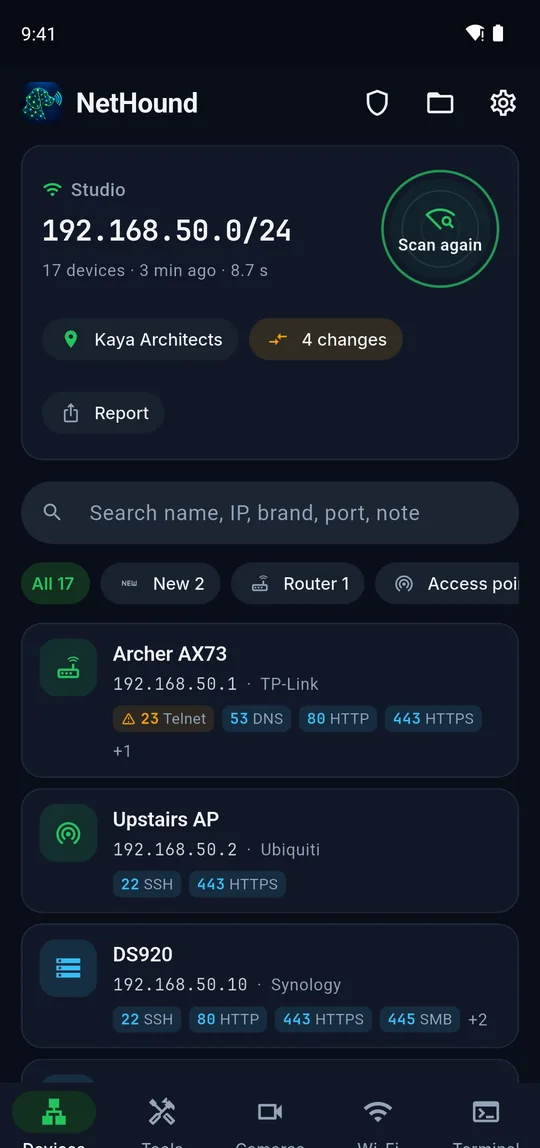
One tap scans the whole subnet. NetHound listens on every channel devices use to introduce themselves and combines what it hears into one card per device: a name, a brand, a type and the open ports.

  • Six name sources: mDNS/Bonjour, NetBIOS, SSDP/UPnP, WS-Discovery, Ubiquiti and MikroTik discovery, reverse DNS and web page titles
  • Brand and type detection for routers, access points, cameras, NVRs, printers, NAS boxes, TVs, speakers, consoles and smart devices
  • Fast (16 ports), normal (40+) and deep (90+) scan profiles
  • Give devices your own names, notes and types; filter and search by name, IP, brand, port or note
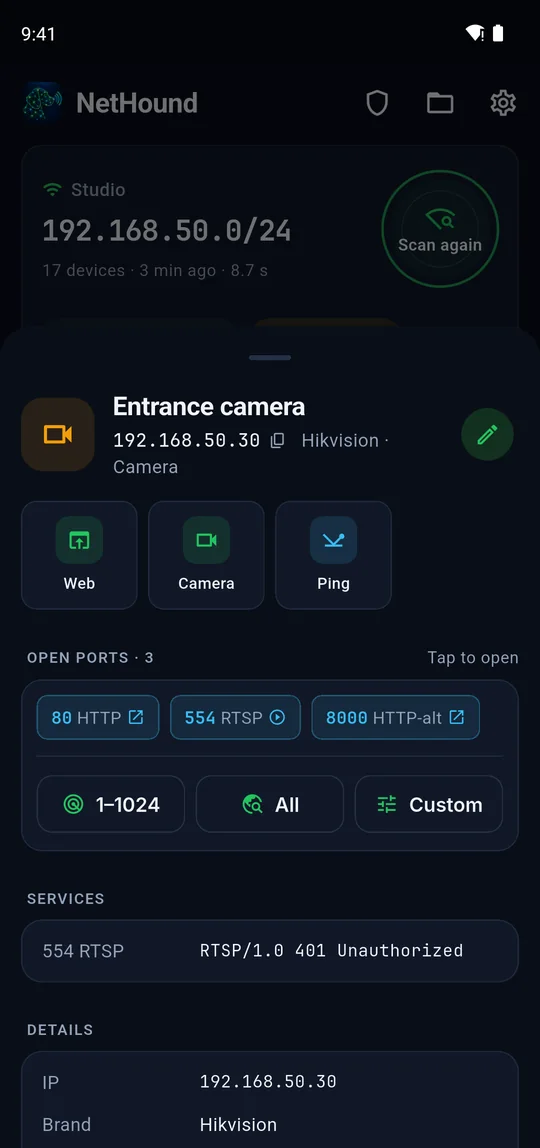
  • Tap a port: web interfaces open in the browser, 22/23 in the terminal, 554 in the camera view
  • New devices and newly opened ports are highlighted after each scan
Security

See risky services and what to do about them

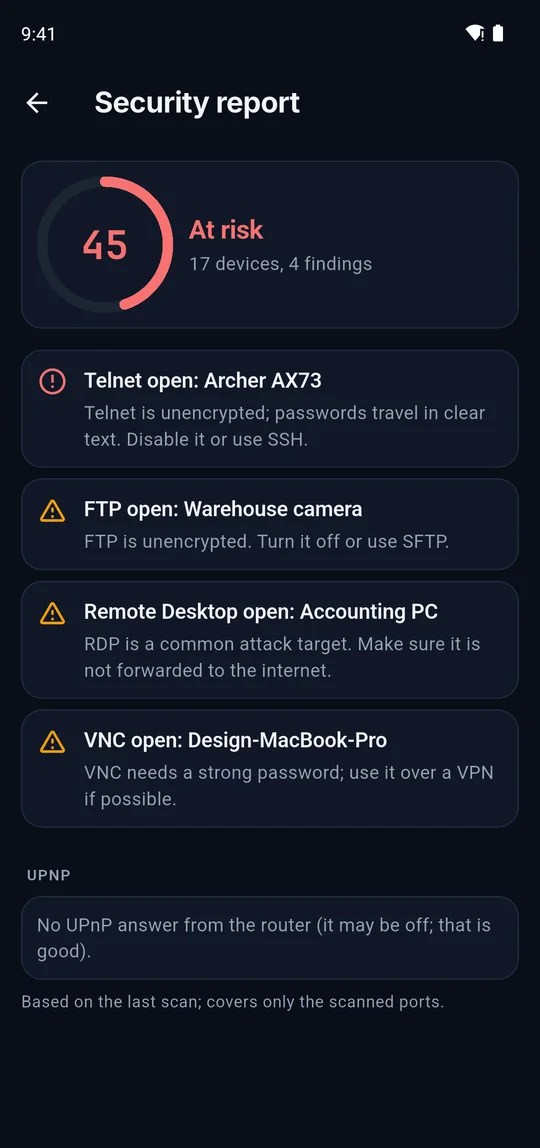
The security report turns the last scan into a score out of 100 and a short list of findings, each with plain advice on what to change.

  • Unencrypted services: Telnet, FTP, plain HTTP admin pages
  • Remote access that attracts attacks: RDP, VNC, SMB, exposed databases
  • ONVIF cameras that answer without a password
  • Ports your router opened to the internet through UPnP, with the device they point to
  • HTTPS certificates that have expired or are about to
  • Admin pages that open without any login
History

Save scans per site and see what changed

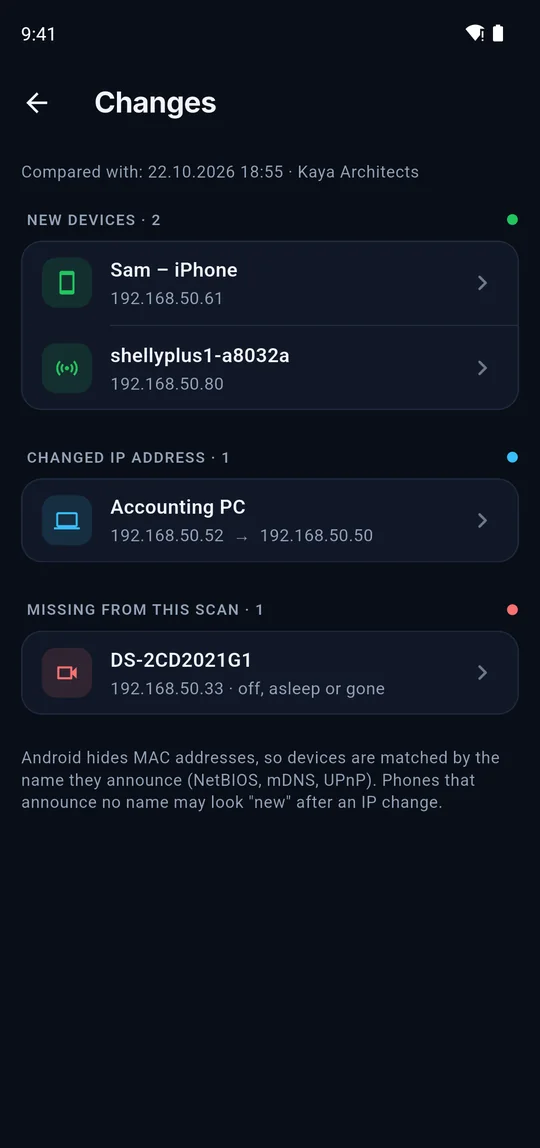
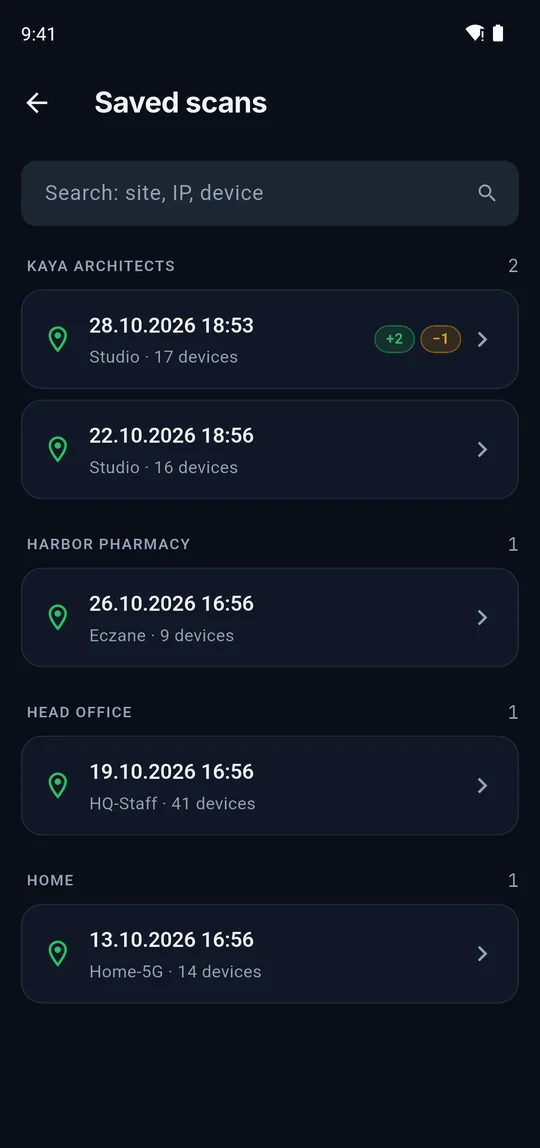
Name the place you scanned, "Head Office" or "Home", and every scan is filed under it. When you come back, NetHound compares the new scan with the last one.

  • New devices, devices that disappeared and devices that moved to another IP
  • Device names per site: the same model of phone can be "Alex’s phone" here and "Front desk" there
  • Hints for IP conflicts: the same device name answering from two addresses
  • Unnamed scans keep the last 50; named site records are never pruned
  • Share as PDF inventory, PDF with QR labels or CSV for Excel and Sheets
Wi-Fi

Pick the right channel and the right spot

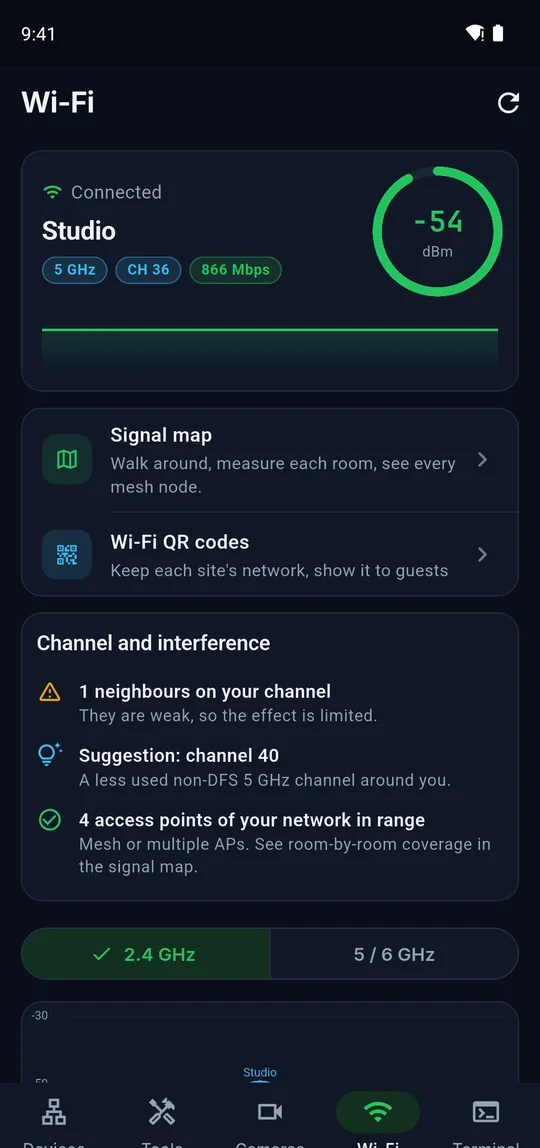
The Wi-Fi analyzer shows your connection and every network around you, then explains what it means: crowded channels, weak neighbours, mesh nodes and a better channel to use.

  • Live signal gauge, link speed, band and channel of your connection
  • 2.4, 5 and 6 GHz channel graphs with every nearby network
  • Channel and interference card with a suggested channel (non-DFS on 5 GHz)
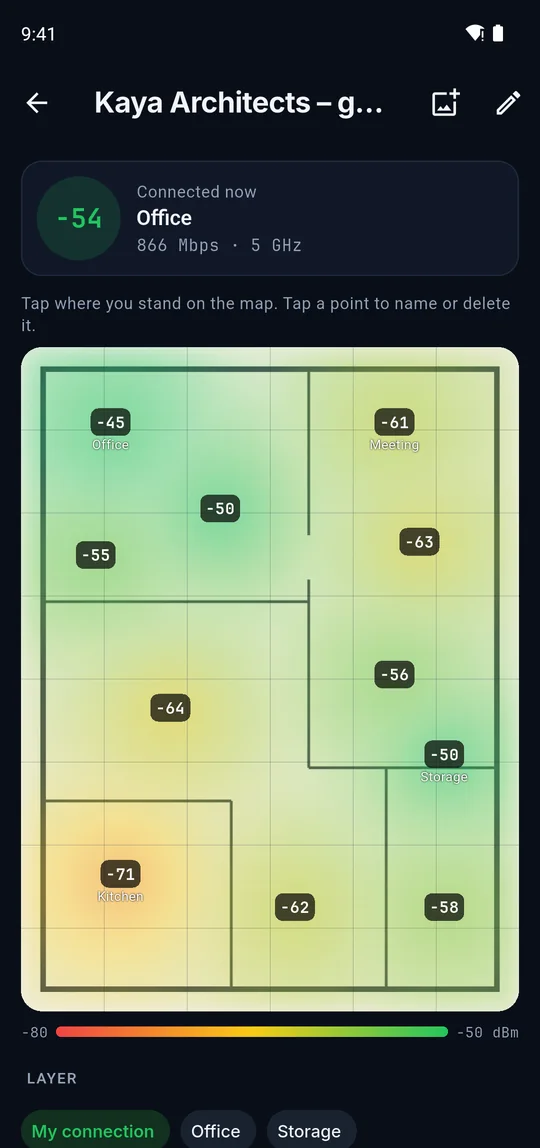
  • Signal map: put a floor plan photo, tap where you stand and get a heat map per room
  • See each mesh node’s coverage separately and name the nodes
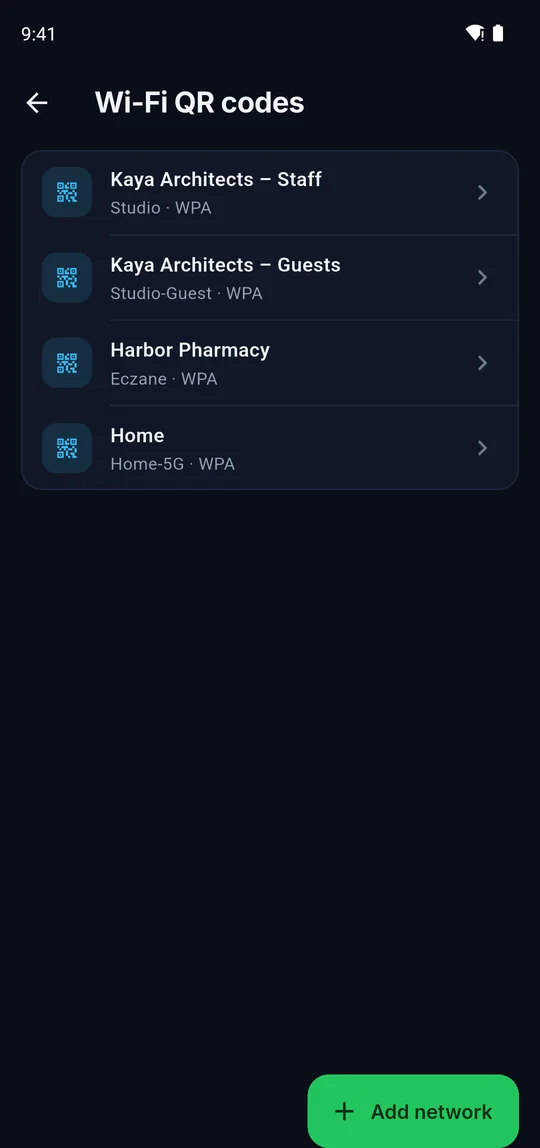
  • Wi-Fi QR codes saved per site, so guests can scan and join
Speed

Is it the Wi-Fi or the line?

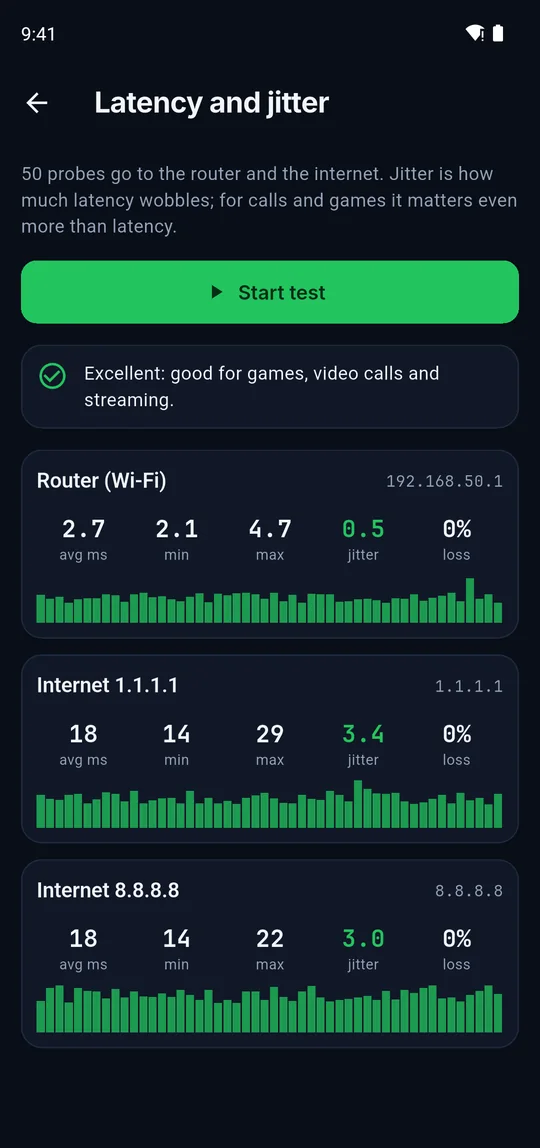
Slow video calls and lag usually come from latency and jitter, not bandwidth. NetHound measures both sides of the problem at once.

  • 50 probes to the router and to two internet hosts in parallel
  • Average, minimum, maximum latency, jitter and packet loss for each
  • A plain verdict: fine for games and calls, Wi-Fi trouble or line trouble
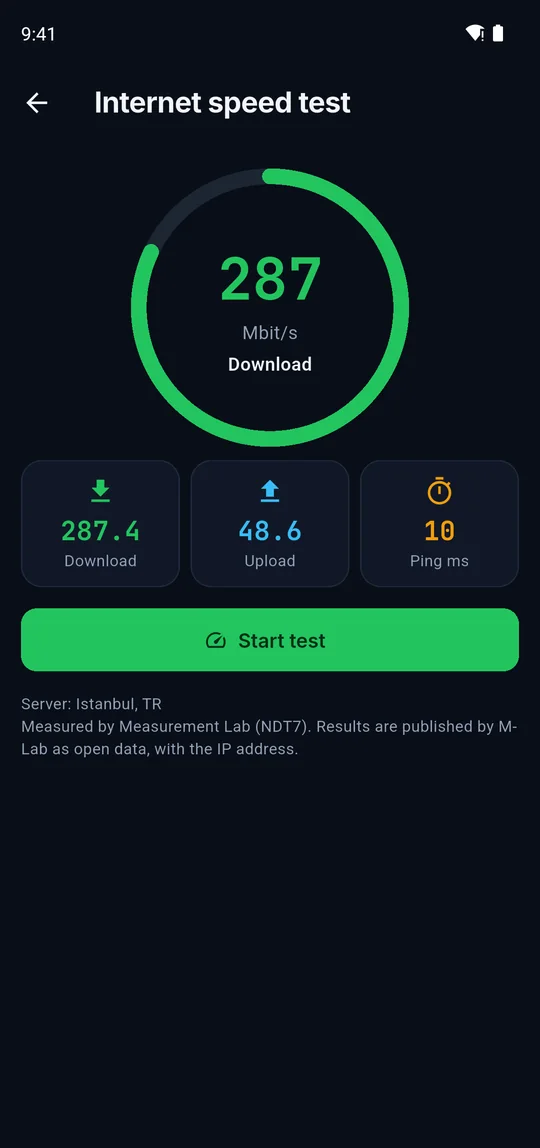
  • Internet speed test with M-Lab NDT7: download, upload and ping
  • LAN speed test between two phones running NetHound, to measure the Wi-Fi itself
Monitor

Know the moment a device drops

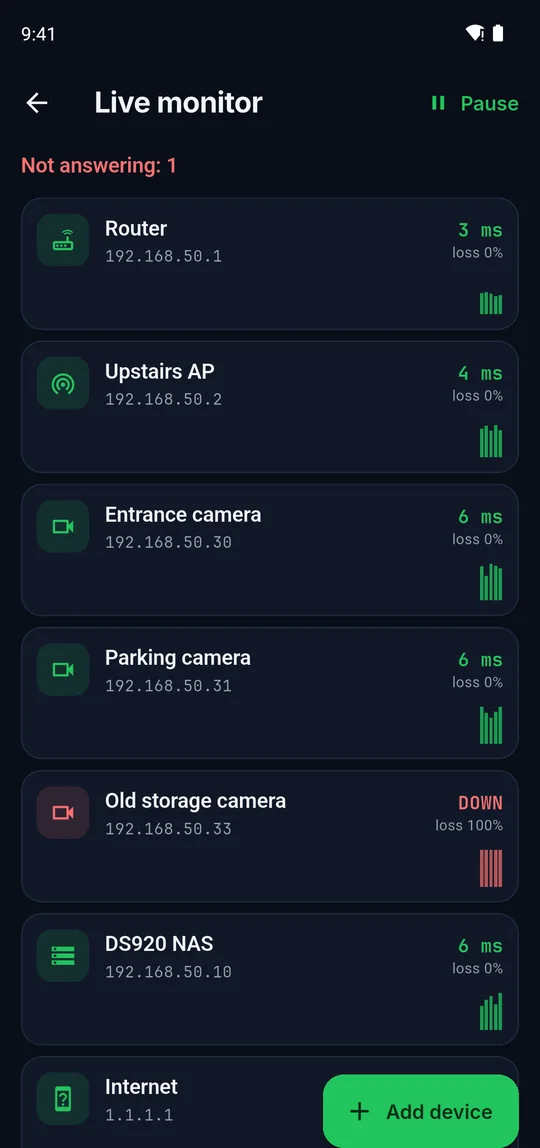
Add the devices that matter, cameras, access points, servers, and keep them on screen. Each is probed every few seconds and turns red when it stops answering.

  • Latency bars and loss percentage per device
  • TCP probes for devices that ignore ping
  • Keeps running when you switch screens or leave the app
  • Shows how long a device has been down or up
Terminal

SSH and Telnet in your pocket

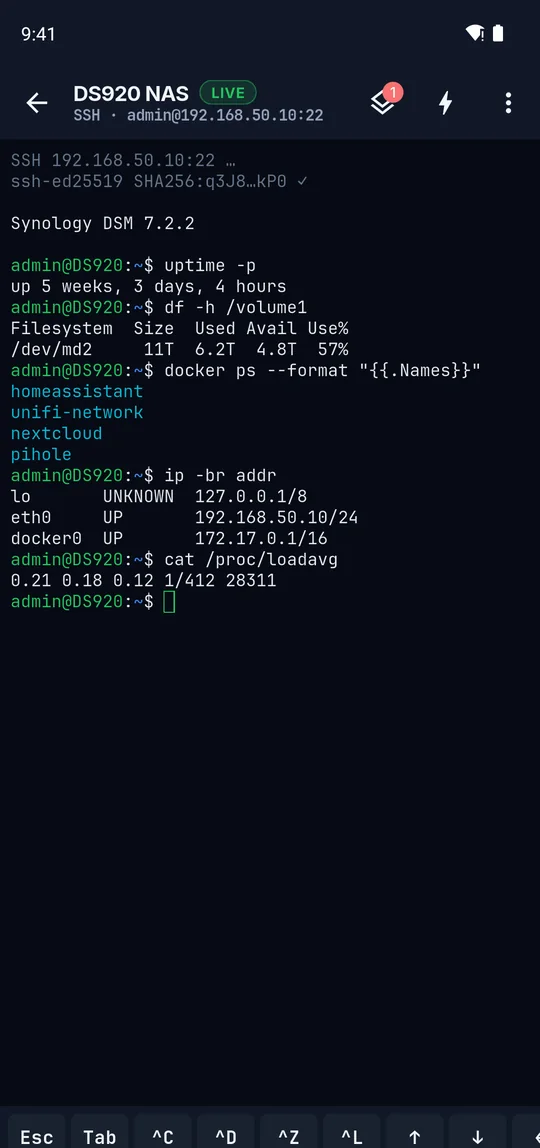
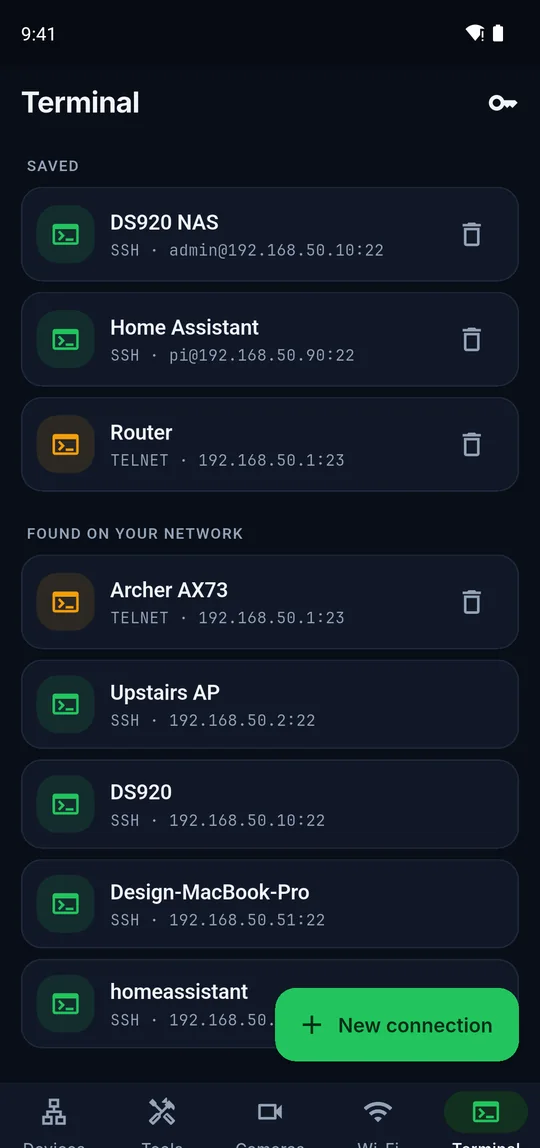
Connect to servers, routers and switches straight from the device list. Sessions live outside the screens, so they stay open while you check something else.

  • Several sessions at once with a quick switcher
  • Generate Ed25519 keys or import your own; public key ready to copy
  • SFTP file browser on the same connection: browse, download, upload
  • One-tap snippets (uptime, df -h, ip addr…) and an Esc, Tab, Ctrl and arrow key bar
  • Host key pinning warns you when a server’s key changes
  • Saved hosts; passwords and keys stay in the encrypted vault
Cameras

Find, watch and configure IP cameras

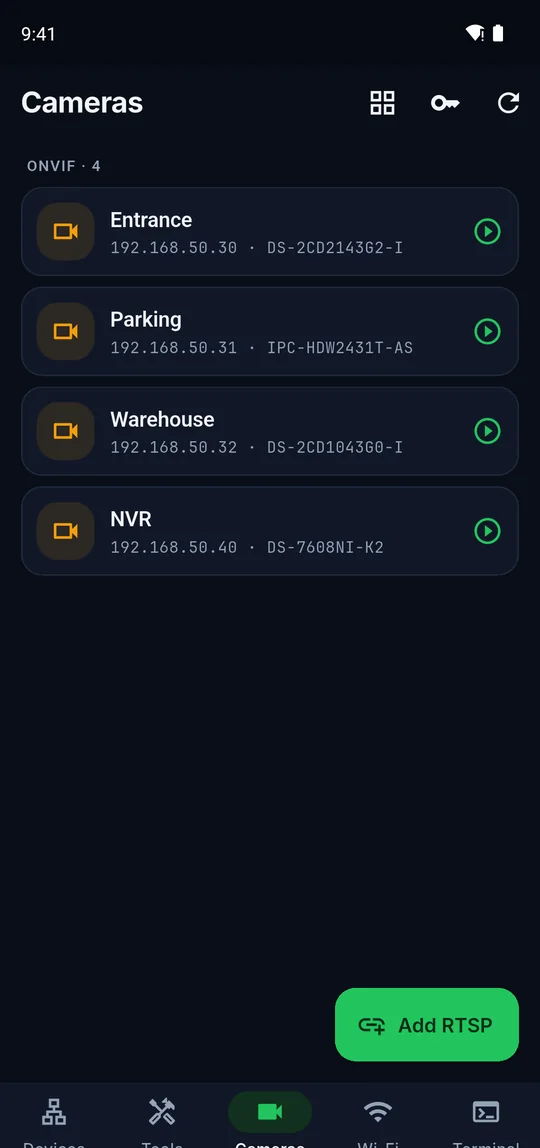
ONVIF cameras and recorders are found automatically. For everything else, pick the brand and NetHound tries its known RTSP paths for you.

  • RTSP path templates for Hikvision, Dahua, Uniview, Axis, Reolink, TP-Link Tapo and many more
  • Saved logins are tried on every camera, and the one that works is remembered per camera
  • Multi-view grid and snapshots
  • ONVIF settings: resolution, bitrate, frame rate, image, clock sync, reboot and PTZ
  • No default-password guessing: only logins you saved yourself are used
Toolbox

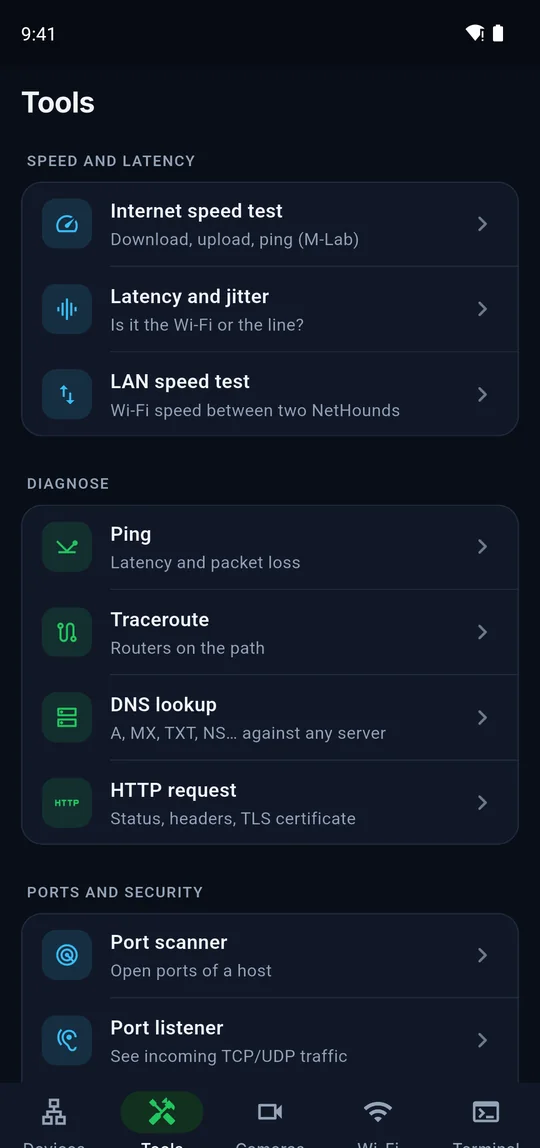
More than 20 tools for everyday work

Everything you reach for when something on the network does not work, grouped by what you are trying to do.

  • Ping, traceroute, DNS lookup (A, AAAA, MX, TXT, NS, against any server), HTTP request with TLS certificate details
  • Port scanner with ranges and presets, port listener for incoming TCP/UDP
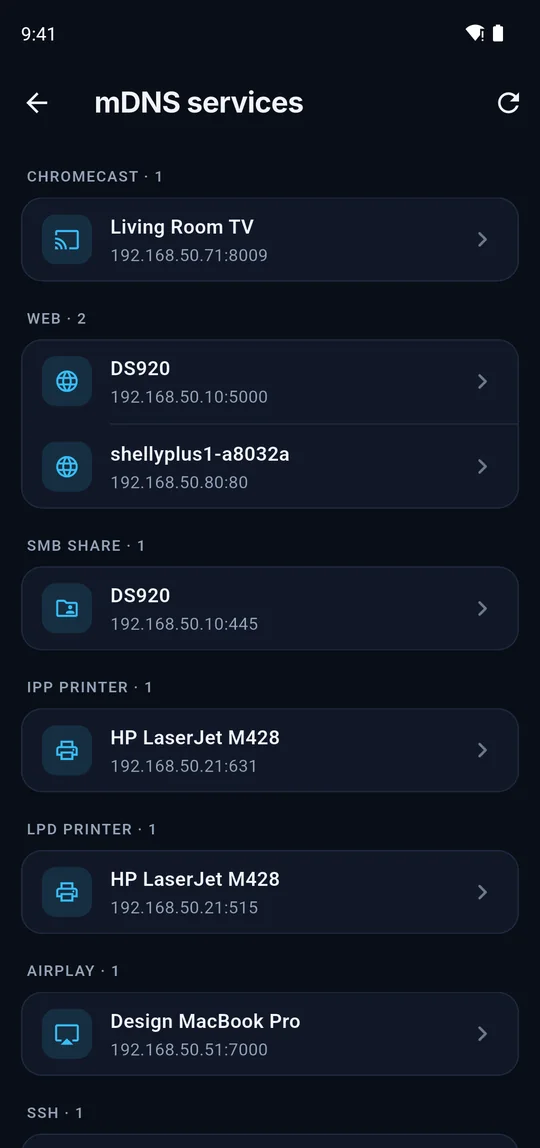
  • mDNS service browser: AirPlay, Chromecast, printers, Home Assistant
  • Wake-on-LAN, subnet calculator, network info
  • DHCP and IP check: lease, DHCP server, DNS and conflict hints
  • QR label scanner to open a device record from its sticker
Backup

Move everything to a new phone

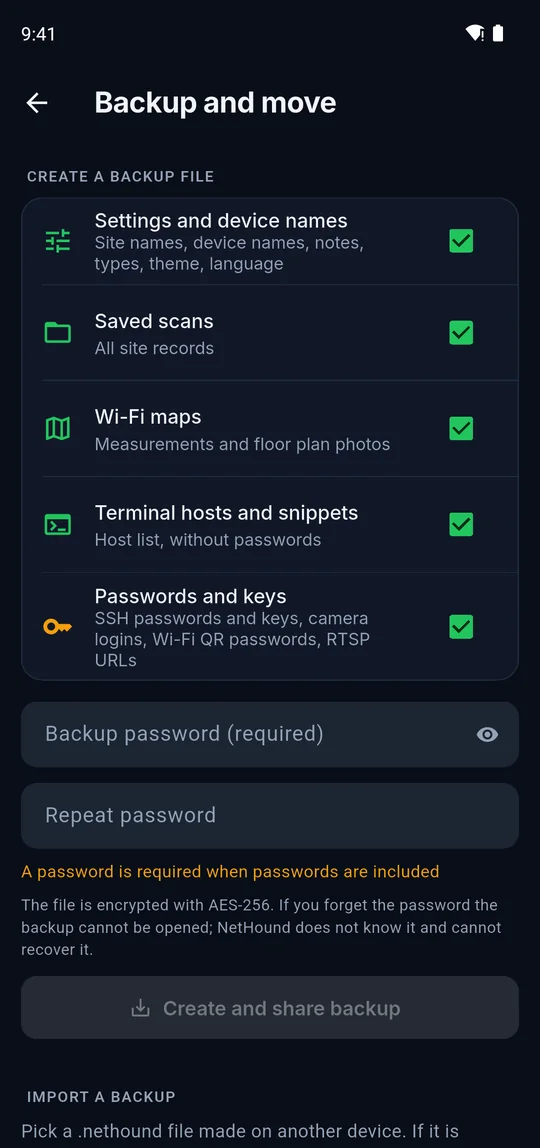
Choose what goes into a single backup file and open it on another phone running NetHound.

  • Pick the parts: settings and names, scans, Wi-Fi maps, terminal hosts, passwords and keys
  • With passwords included a password is required: AES-256-GCM, PBKDF2 with 210,000 rounds
  • Without passwords the file can stay unencrypted for easy sharing
  • You decide where the file goes: Drive, email, a USB stick

What is on your network?

Get NetHound and run your first scan in under ten seconds.

Coming soonGoogle PlayComing soonApp Store